
Last Updated on August 31, 2026
A single incomplete box on a CMS-1500 form can stall a claim for weeks, even when the care behind it was delivered correctly. For practices that still rely on this form, or that submit electronic claims built on its structure, knowing exactly what each field requires is the difference between getting paid on the first pass and chasing a denial.
This guide breaks down what the CMS-1500 form is, the fields that cause the most rejections, how it compares to electronic 837P submission, and what’s changed heading into 2026.
Table of contents
- What is CMS-1500 Form
- Is HCFA the Same as CMS-1500?
- CMS 1500 Claim Form Instructions: Understanding Key Fields
- Mismatching Diagnosis Codes to Services: A Preventable Error
- Why the CMS-1500 Form Still Matters
- CMS 1500 vs 837P Claim Forms: Paper vs Electronic
- Common CMS-1500 Form Denial Triggers
- Why Accuracy Matters
- Avoiding Common Mistakes
- CMS-1500 Form Best Practices for Clean Claim Submission
- Accurate CMS-1500 Submission Starts With Smarter Billing Processes
- FAQs
What is CMS-1500 Form
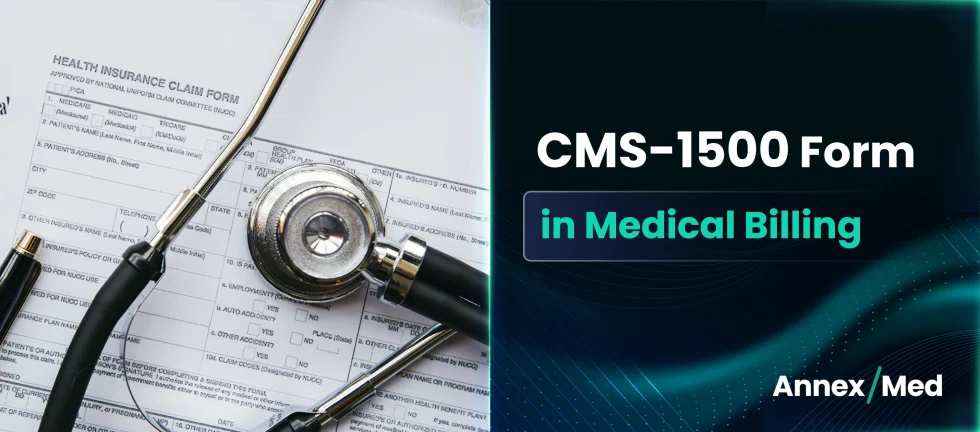
The CMS 1500 HCFA claim form (sometimes simply called the HCFA form) is used by individual healthcare providers, practices, and non-institutional entities to bill outpatient services. It’s maintained by the National Uniform Claim Committee (NUCC) and required by Medicare, Medicaid, and most commercial payers.
Even in an era of automation, this form hasn’t lost relevance. Many small or transitioning practices still use paper submissions, and understanding the logic behind the CMS 1500 format improves accuracy in digital workflows too.
The Benchmarks High-Performing Hospitals Achieve in 2026
Is HCFA the Same as CMS-1500?
Not exactly, but the two terms are used interchangeably in everyday billing conversation. HCFA stood for the Health Care Financing Administration, the federal agency that originally created the form. That agency was renamed the Centers for Medicare & Medicaid Services (CMS) in 2001, and the form took on its current name. Even so, “HCFA form” and “HCFA 1500” are still common shorthand across practices, payers, and billing software, so if you see either term, it refers to the same medical claim form 1500 that this guide covers.
The form itself is still on version 02/12, the same layout introduced in 2013. What has changed is the instruction guidance behind it: the NUCC released Version 13.0 of its 1500 Health Insurance Claim Form Reference Instruction Manual in July 2025, and that’s the version practices should be following through 2026. If your billing team or software vendor is still referencing the 12.0 manual, it’s time to update.
CMS 1500 Claim Form Instructions: Understanding Key Fields
The CMS 1500 claim form has 33 fields, also referred to as “items.” Each captures a piece of critical data that payers use to evaluate and process your claim. Each of these fields collect specific data to support a clean claim. It is important to know that this form influences whether your claim is accepted, or denied.
Here are some of the most critical fields to be aware of:
- Field 1: Insurance Type – Specifies whether the claim is for Medicare, Medicaid, or private insurance.
- Field 2: Patient’s Name – Entered exactly as it appears on the insurance card.
- Field 17: Referring Provider – Used when services require a referral or were ordered by another provider.
- Field 21: Diagnosis Codes – Up to 12 ICD-10 codes can be listed here to explain why services were provided.
- Field 24A: Date of Service – The specific date(s) when treatment was given.
- Field 24D: CPT/HCPCS Codes – Codes that describe the procedures or services provided.
- Field 24G: Days or Units – Indicates how many units of the service were delivered.
- Field 24J: Rendering Provider NPI – Identifies who performed the service.
- Field 31: Signature of Physician or Supplier – “Signature on File” remains acceptable for electronic submissions and established provider relationships, but rubber-stamp signatures are no longer accepted on paper claims. Several Medicare Administrative Contractors tightened this rule in March 2026, so a missing or invalid signature now comes back as an incomplete claim rather than a minor flag.
- Field 33: Billing Provider Info – Includes the provider’s name, address, NPI, and Tax ID.
Every field on the form plays a role in telling the patient’s clinical story, and that story has to line up cleanly between the diagnosis and the service billed for it, which is where many claims actually run into trouble.
Mismatching Diagnosis Codes to Services: A Preventable Error
One of the most common and costly errors in medical billing audits is the mismatch between diagnosis (ICD-10) codes and the procedures or services billed (CPT/HCPCS codes). These mismatches often lead to claim rejections, payment delays, and unnecessary administrative rework.
They can also trigger compliance flags with payers and regulatory bodies, especially when patterns emerge over time. The root cause? Often it’s a combination of outdated charge masters, manual data entry, insufficient documentation, or a lack of real-time code validation tools.
AnnexMed’s ProCode, part of our proprietary platforms, automatically maps diagnosis codes to procedure codes and flags inconsistencies before claim submission. It reduces human error, especially across large-volume practices or complex specialty services.
Why the CMS-1500 Form Still Matters
As healthcare billing continues shifting toward automation and electronic transactions, some providers assume the paper CMS claim form 1500 is becoming obsolete. However, the CMS-1500 remains the foundation of professional medical billing.
Even when claims are submitted electronically through the 837P format, the data structure mirrors the CMS-1500 form. Understanding the form helps providers:
- Improve claim accuracy
- Reduce claim rejections
- Troubleshoot denial issues
- Train billing and coding staff
- Validate clearinghouse submissions
- Strengthen compliance efforts
In many ways, mastering the HCFA 1500 form improves both paper and electronic billing workflows.
CMS 1500 vs 837P Claim Forms: Paper vs Electronic
Providers use either the CMS 1500 form or the 837P format to submit professional healthcare claims. Both forms capture and submit data for physician and outpatient services. The main difference lies in how they are delivered and how quickly they are processed.
| Feature | CMS 1500 (Paper) | 837P (Electronic) |
|---|---|---|
| Format | Physical/paper submission | EDI format for clearinghouses |
| Use Case | Small practices, backup submission | Standard for scalable billing |
| Data Contained | Same as 837P | Same as CMS 1500 |
| Speed | Slower processing time | Faster claim turnaround |
If you’re looking to transition from paper to digital, understanding the 837P CMS 1500 claim form structure is crucial. Clean electronic submissions mirror the CMS 1500 layout, so mastering one strengthens your workflow for both.
Need help migrating to electronic billing?
AnnexMed’s end-to-end Services can help you modernize while minimizing disruptions.
Connect with UsCommon CMS-1500 Form Denial Triggers
Even minor mistakes on a CMS-1500 form can result in claim rejections, delayed payments, or payer requests for correction.
Common Denial Causes Include:
- Missing or invalid provider NPI numbers
- Incorrect patient demographic information
- Invalid diagnosis codes
- CPT and ICD-10 code mismatches
- Missing modifiers
- Incomplete referring provider information
- Incorrect insurance details
- Missing required fields
Many of these denials can be prevented through pre-submission claim review and coding validation processes.
Why Accuracy Matters
The CMS 1500 HCFA form may look routine, but it’s one of the most important documents in the reimbursement process. Each field you fill out plays a role in how fast and how much you get paid. Inaccuracies not only slow down claims but also impact your revenue cycle and payer relationships. Getting it right the first time isn’t just helpful, it’s necessary.
Here’s why accuracy matters:
- Fewer denials: Clean claims get accepted the first time
- Faster payments: No waiting on reprocessing timelines
- Less rework: Your team can focus on value-added tasks, not follow-ups
- Better relationships with payers: Accurate claims build payer trust!
Avoiding Common Mistakes
Behind every rejected claim is often a small, fixable oversight. In high-volume billing environments, it’s easy for these details to slip through. But when accuracy is built into the workflow, even the most complex forms become manageable.
Some of the most common issues seen with CMS 1500 submissions include:
- Using outdated or invalid CPT/ICD-10 codes.
- Entering an incorrect provider NPI or Tax ID.
- Failing to complete required fields (like Box 24J or 33a).
- Skipping necessary modifiers.
- Mismatching diagnosis codes to services.
- Using a rubber-stamp or missing signature in Field 31 on paper claims
Every field on the form plays a role in telling the patient’s clinical story. When codes align with care delivered, you’re more likely to be paid fairly and quickly. If you’re working from a downloaded or scanned CMS-1500 template and catch a field error late, you don’t have to start from scratch. Using a PDF editor, you can correct individual fields, provider NPI, diagnosis codes, and box 24J directly in the document without reprinting or resubmitting a clean copy.
In 2026, the CMS-1500 claim form is still very much in use, just increasingly digital. The vast majority of claims are now submitted electronically using the 837P format, but CMS 1500 paper claims remain essential for small providers and as a fallback. Whether you submit on paper or through a clearinghouse as an 837P file, foundational knowledge of the form gives clarity and control over billing operations.
CMS-1500 Form Best Practices for Clean Claim Submission
Whether claims are submitted on paper or electronically, following best practices can significantly improve first-pass acceptance rates.
- Verify patient demographics before claim submission
- Confirm insurance eligibility and payer information
- Validate diagnosis and procedure code relationships
- Review modifier usage carefully
- Verify rendering and billing provider NPIs
- Audit claims before submission
- Use coding validation tools whenever possible
Practices that implement standardized claim review processes often experience fewer denials and faster reimbursement turnaround times.
Accurate CMS-1500 Submission Starts With Smarter Billing Processes
The CMS-1500 form remains one of the most important tools in professional medical billing. Whether claims are submitted on paper or electronically through the 837P format, accuracy at the form level directly impacts reimbursement, compliance, and revenue cycle performance.
Each field on the form contributes to a clean claim. From patient demographics and diagnosis codes to provider information and CPT coding, even small errors can lead to denials, delays, and unnecessary administrative costs.
At AnnexMed, we help healthcare providers improve claim accuracy through coding validation, claim auditing, denial prevention, and end-to-end revenue cycle management. Our billing experts help ensure every CMS claim form 1500 submission is complete, compliant, and optimized for faster reimbursement.
By combining accurate data capture with proactive billing oversight, providers can reduce denials, accelerate payments, and strengthen overall financial performance.
Need Help with CMS-1500 Accuracy?
AnnexMed’s billing experts ensure your CMS-1500 forms are complaint, complete and error-free so you can avoid rejections and speed up reimbursements
Explore Our Medical Billing ServicesFAQs
It’s used by physicians, therapists, and other non-institutional healthcare providers to bill Medicare, Medicaid, and commercial insurers for outpatient and professional services.
They refer to the same form. HCFA was the agency that created it; CMS is the agency that maintains it today. “HCFA form” and “HCFA 1500” are still widely used as informal names for the CMS-1500.
The CMS-1500 is for professional services billed by individual providers. The UB-04 is for facility-based claims, such as room and board or facility overhead. Some organizations need to submit both forms for the same patient on the same date of service.
No. Paper claims must be printed in Flint OCR Red ink so payers can scan them. Photocopies and black-and-white printouts are typically rejected as unprocessable.
An NPI without its qualifier in Field 17b, or a missing or rubber-stamped signature in Field 31, now results in a hard rejection under current MAC guidance rather than a simple correction request.